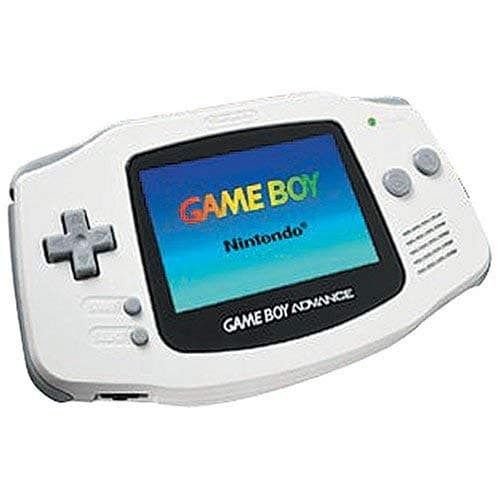
A Super Nintendo for Your Pocket
Turn a Game Boy on its side, double its buttons, give it a widescreen and the power of a 16-bit home console, and you get the Game Boy Advance. When it launched in Japan in March 2001, and in North America and Europe that June, the pitch was simple: the games you loved on the Super Nintendo, in your hand.
Inside is a 32-bit ARM processor running at 16.78 MHz, driving a 240×160 screen that shows thousands of colours at once. The landscape layout gave thumbs room to breathe, and new L and R shoulder buttons made ports of home console games feel natural. It also plays almost the whole Game Boy and Game Boy Color library, which meant nobody had to give up their Pokémon to upgrade.
That Screen
Here's the honest part: the original Game Boy Advance screen is dark. Very dark. Like the Game Boy before it, it has no backlight, but its colourful, detailed graphics needed light far more than the old green-and-grey ever did. Players angled themselves under lamps and bought clip-on lights, and hobbyists cut their consoles open to fit front-light kits. Nintendo fixed it two years later with the Game Boy Advance SP.
We dig into that awkward first chapter in The Game Boy Advance: Nintendo's Awkward Middle Child.
The Library Is the Reason to Own One
Whatever you think of the screen, the games are spectacular. Launch titles like F-Zero: Maximum Velocity and Castlevania: Circle of the Moon set the tone, and the years that followed brought Metroid Fusion and Zero Mission, Advance Wars, Golden Sun, Fire Emblem, The Legend of Zelda: The Minish Cap and Pokémon Ruby and Sapphire. Add enhanced ports of Super Mario World and A Link to the Past, and you have one of the strongest libraries any Nintendo handheld ever had.
The family, counting the SP and the Micro, sold more than 80 million units, and the cartridge slot lived on in the original Nintendo DS, which could play Game Boy Advance games too.
Buying One Today
An original model is the cheapest way into the library, but it's best enjoyed modded. Drop-in IPS screen kits transform it, giving a bright, sharp backlit picture that makes the games look the way their developers saw them on their own monitors. Replacement shells in every colour make it easy to build one that looks new.
If you'd rather stay stock, check the screen lens for scratches, the battery cover for a missing clip and the contacts for corrosion. And save files on many cartridges sit on a battery that eventually dies, so read Save the Save before you trust a twenty-year-old Pokémon file.
Then put in Metroid Fusion, turn the lights up, and see why so many people think this was Nintendo's best handheld library.